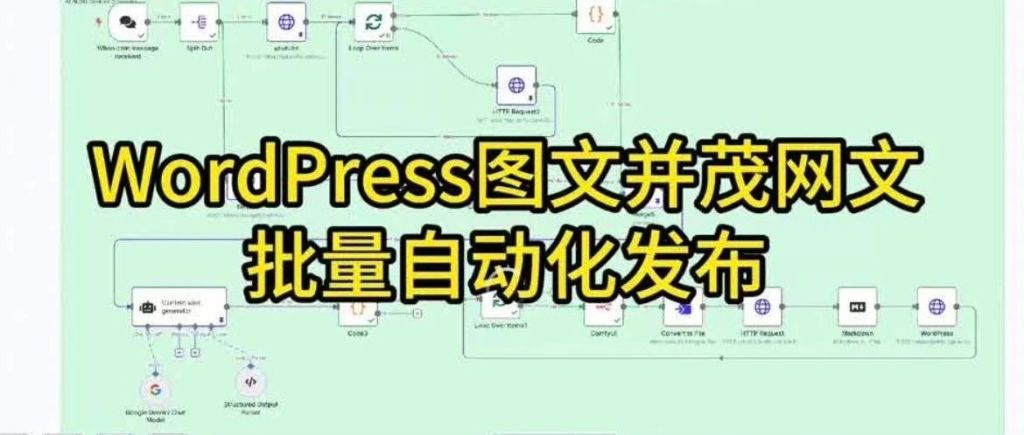
Original by Yu Tou Xiao Bao (GenAI Symbiote)
Following my last article, “Streamline Your Blog Content Updates: A Comprehensive Guide to N8N’s Bulk Automatic WordPress Publishing!” [https://mp.weixin.qq.com/s?_biz=MzI1MjkyNjI4NQ==&mid=2247484210&idx=1&sn=417d30170b633db20b20e5cb4f60e7b6&scene=21#wechatredirect], I’ve been exploring a complete closed-loop solution for AI-automated content production. This past weekend, I finally ironed out the plan for this, so this article will focus on: how to choose the right solution to automatically generate cover images that highly match the article’s theme.
Comparison of Image Generation Technical Solutions
| Solution | Advantages | Limitations | Applicable Scenarios |
| :———————– | :——————————————— | :——————- | :————————— |
| Large Image Generation Model API | Fast generation speed | Uncontrollable style | Simple illustrations |
| Material Library + Visual Matching | Copyright safe | Low matching accuracy | Non-commercial scenarios |
| ComfyUI Workflow | Controllable style, commercial-grade quality, multimodal extension | Requires local deployment | Enterprise-level applications |
🏆 Why Choose the ComfyUI Solution?
- Industrial-Grade Workflow
- ▶️ 2000+ community workflow templates
- ▶️ Supports top-tier drawing models like Flux/SDXL
- ▶️ Node-based visual debugging
- Multimodal Extension Capabilities
- 🖼️ Integrated generation of images/🎬 videos/🔄 3D models
Preliminary Results:
[Image: Preliminary results example]
Core Workflow Content Analysis:
-
Information Source Scraping
Use the HTTP node to batch acquire information source data (videos/text and images, etc.). Node configuration can refer to previous tutorials.
[Image: HTTP node configuration] -
Online Article Writing
Use an AI Agent to rewrite online articles in WordPress style.
[Image: AI Agent rewriting example] -
Cover Image Generation
Call the ComfyUI node to generate cover images (from the community node: n8n-nodes-comfyui). The workflow comes from an exported Workflow (API) file. Here, I’m using the default text-to-image workflow from the ComfyUI template library, equipped with the C-station SDXL large model.
[Image: ComfyUI node for cover image generation]
[Image: n8n ComfyUI Node Configuration]
[Image: ComfyUI Default Text-to-Image Workflow]
[Image: C-station XL Model] -
Loop and Push to WordPress
Note: First upload the image, then associate the image ID to upload the article.
[Image: WordPress push workflow]
Next time, I will unlock how to use “n8n + ComfyUI’s capabilities to batch generate videos and automatically push them to mainstream video platforms.” Don’t forget to save and follow if you’re interested.
I am Yu Tou Xiao Bao. Follow me to continue exploring the expanding universe of GenAI.
If you found this article helpful, don’t forget to like, save, and share it!
Related Articles:
- Streamline Your Blog Content Updates: A Comprehensive Guide to N8N’s Bulk Automatic WordPress Publishing! [https://mp.weixin.qq.com/s?_biz=MzI1MjkyNjI4NQ==&mid=2247484210&idx=1&sn=417d30170b633db20b20e5cb4f60e7b6&scene=21#wechatredirect]
- N8N Full Workflow Tutorial | One-Click Transformation from YouTube Video to WeChat Official Account Copy! [https://mp.weixin.qq.com/s?_biz=MzI1MjkyNjI4NQ==&mid=2247484164&idx=1&sn=041d6a87840daebcd5b69cf5a5ae9056&scene=21#wechatredirect]
- N8N Advanced Tutorial | How to Automatically Push AI News Daily to Your Enterprise Feishu Group? [https://mp.weixin.qq.com/s?_biz=MzI1MjkyNjI4NQ==&mid=2247484038&idx=1&sn=68f04acee33fb636e4dbbfd561ba3d73&scene=21#wechatredirect]
- Say Goodbye to Information Overload! Hand-in-Hand Guide to Building Your Exclusive AI News Daily with N8N for Efficient Global Hotspot Acquisition [https://mp.weixin.qq.com/s?_biz=MzI1MjkyNjI4NQ==&mid=2247483965&idx=1&sn=5c60e27031f8eeb88e153c0fe608e45a&scene=21#wechatredirect]
 AI洞察
AI洞察 
Leave a comment